


Video was the last expensive medium. A photograph needed a phone; a paragraph needed a keyboard; but a moving image needed a camera, a location, a subject, light and time — which is why video ruled the internet while remaining the hardest thing on it to make. AI video generators are the attempt to collapse that whole production into a sentence. Type “aerial shot of a fishing boat returning to harbour at dawn,” wait a minute, and watch something that looks remarkably like it scroll past.
This guide treats that miracle with the respect and the suspicion it deserves. The respect: the best of these tools now produce shots that would have cost a crew day two years ago, and for B-roll, product clips, social video and concept work they are already the rational choice. The suspicion: every demo reel you have ever seen is the survivor of dozens of discarded generations, clips are measured in seconds rather than scenes, and the gap between the best tool and the rest is mostly about control — how precisely you can make the thing in your head, rather than accepting the thing the model felt like making. What follows compares the serious generators job by job, explains how the technology actually works in plain language, teaches the prompting language that separates usable clips from weird ones, and ends with the two sections vendors skip: what it really costs, and who actually owns the result.
How text-to-video actually works (the plain version)
A text-to-video model is trained on millions of video clips paired with descriptions, and learns the statistical shape of moving images: how water breaks, how hair falls, how a camera drifting left makes the world slide right. The family of techniques involved — catalogued under the text-to-video model heading — mostly extends image diffusion into time. Generation starts from noise and progressively sharpens it into frames, guided at every step by your prompt. The crucial extra problem, the one images never face, is temporal consistency: twenty-four frames a second must agree with each other about what the world contains. When they disagree, you get the genre’s signature failures — faces that melt between expressions, hands with a variable number of fingers, a dog that is a different dog after the cut that never happened, physics that gives up halfway through a pour of water.
Three practical consequences follow from how the technology works. First, short is not a pricing trick, it is the technology’s natural unit: consistency holds for seconds, then drifts, which is why every tool sells you five-to-ten-second clips and why real projects are edited from many clips rather than generated in one go. Second, motion is the hard part, not detail — a gorgeous still frame is easy; a person walking convincingly across it is the actual product. Third, the most reliable workflow in 2026 is often image-to-video: generate or choose a strong still first, then ask the video model only to animate it. Your starting frame fixes the composition, the colours and the subject’s face, and removes half the model’s opportunities to improvise. If you have not yet built that first skill, our guide to the best free AI image generators is the natural prerequisite — stills are where video projects quietly succeed or fail.
The video generators at a glance
| Tool | Best for | Free access | Typical clip length | Watch out for |
|---|---|---|---|---|
| Runway | Control, editing, pro workflows | Small credit starter, watermarked | 5–10 seconds (extendable) | Credits burn fast at top quality |
| Kling | Motion quality on a budget | Daily free credits, watermarked | 5–10 seconds | Data hosted in China; queues at peak |
| Pika | Social clips, playful effects | Free tier with watermark | 3–10 seconds | Less precise for serious realism |
| Luma Dream Machine | Natural motion, dreamlike B-roll | Limited free generations | 5–9 seconds | Consistency on faces and text |
| Sora-class (Sora, Veo) | Frontier realism, storyboards | Mostly bundled in subscriptions | 5–20 seconds | Access and pricing shift constantly |
| HeyGen | Talking avatars, translation dubs | Very limited free credits | Minutes (avatar-led) | Disclosure duties; uncanny at the edges |
| CapCut | Editing and finishing AI clips | Generous free editor | Full timelines | Not a generator first — a finisher |
No single row wins, because “video” is three different jobs wearing one name: generating shots, presenting to camera, and editing everything together. The sections below take the generators in turn.

Runway: the professional’s workbench
Runway is where AI video grew up. It began as the effects lab of the AI world — background removal, motion tracking, inpainting — and its generator (the Gen-4 family) sits inside that editing heritage rather than beside it. The result is the tool professionals reach for when the clip has a job: a specified camera move, a subject that must travel from here to there, a start frame and an end frame the shot must connect. Camera controls, motion brushes that tell specific regions how to move, keyframed start/end images and extend tools make Runway the closest thing to directing rather than gambling.
The honesty notes are pricing and appetite. Runway sells credits, generation at the highest quality drinks them, and the free starter allotment is a tasting spoon rather than a meal — watermarked besides. Its ceiling for raw spectacle is matched by the frontier tools below, and pure text-to-video whimsy sometimes lands better in Kling or Pika. But judged as a workbench — generation, editing and control in one place, with an API for teams that automate — Runway remains the default professional recommendation, and the one whose skills transfer if you later add rivals around it.
Kling: the motion challenger
Kling, from China’s Kuaishou, arrived as the spoiler: motion quality — walking, turning, cloth, hair, crowds — that embarrasses generators with bigger reputations, at prices that undercut them, with a free tier that refreshes daily instead of expiring once. Its longer generations hold together better than most, its human figures move with a weight others miss, and its lip-sync feature turned it into a quiet favourite for character clips. For creators producing volume on a budget, Kling’s cost-per-usable-second is the number rivals have to beat.
The trade-offs mirror those of every China-based AI service. Your prompts and uploads live under a different data jurisdiction, which for a sunset over the sea is a shrug and for unreleased product footage is a decision your client should make knowingly. Peak-hour queues tax free users first, the interface’s English is serviceable rather than native, and support is thin. Used with clear eyes — public material in, published clips out — Kling is the strongest value in this guide.
Pika: the playful one
Pika optimises for a different delight: speed, shareability and effects that are simply fun. Its signature moves — objects squishing, exploding, melting, inflating, in the family of effects it popularised — turned AI video into a social format rather than a production tool, and its ingredient-style features (drop in a photo of a person or product, have it appear inside a scene) are the fastest route from “I have a picture” to “I have a clip.” Generation is quick, the interface assumes no film-school vocabulary, and the free tier is enough to learn whether the style suits you.
The limits are the flip side of the charm. For sober realism — a product shot that must be right, a presenter who must be believable — Pika’s exuberance works against it, and fine control over camera and composition trails Runway. Treat Pika as the idea machine and the social Clip factory it wants to be, not as your cinematographer of record.
Luma Dream Machine: natural motion, honest physics
Luma’s Dream Machine built its name on a specific virtue: motion that feels filmed rather than rendered. Its Ray models produce camera moves with believable weight — the slow push-in, the orbit that eases rather than glides — and handle atmospheric material (smoke, water, fabric, landscape) with a softness that suits B-roll, backgrounds and dreamlike sequences. Keyframe support lets you specify the first and last frame and let the model dream the path between, which is the single most useful control for transitions.
Faces at conversational distance and any text inside the frame remain weak points, as they are nearly everywhere, and generation times stretch when the queue is long. But for the enormous category of “beautiful moving wallpaper with a point” — the establishing shot, the product atmosphere, the looping backdrop — Dream Machine’s taste level is consistently high, and its failures tend to be gentle rather than grotesque.
The Sora class: the frontier, honestly framed
Above the products sits the frontier class, defined by OpenAI’s Sora and Google’s Veo: the models whose launch reels reset everyone’s expectations. Their genuine advances are coherence — longer shots that hold a scene together, multiple characters interacting without swapping faces, camera language that cuts inside a generation rather than merely drifting. Accessed through ChatGPT and Gemini subscriptions respectively (and through Google’s Flow filmmaking interface), they are increasingly how the subscription chatbots justify their price.
Honesty requires three qualifications. First, the reels are still reels: for every published miracle there is a cutting-room floor of mutants, and your first ten generations will teach you the ratio. Second, access is a moving target — tiers, regions, durations and resolutions change quarterly, and features migrate between products; anything printed about their exact limits has a short shelf life, including in this guide. Third, they are priced like the frontier: bundled subscriptions and credit systems that assume serious use. The practical advice is to treat Sora-class tools as your quality ceiling and special-occasions engine, while a workbench tool handles the daily bread.
Avatars and presenters: HeyGen and CapCut
A separate job hides inside “AI video”: the talking presenter. HeyGen leads it — upload a script, choose or clone a presenter, and receive a finished piece to camera, in dozens of languages, with lip-sync that has crossed from novelty to usable. Its sharpest feature is translation: your own recorded video, re-voiced in another language with your mouth movements adjusted to match. For training libraries, product explainers and multilingual marketing, this replaces a studio day per language.
CapCut is the other half of most real workflows — not primarily a generator, but the free editor where AI clips go to become videos: captions, cuts, music, templates, the vertical reframe. The pipeline described in our guide to the best AI tools for content creators runs through exactly this pairing: generate the shots or the presenter, then finish in a real editor. Two cautions belong here. Avatar tools make a synthetic person speaking words a real person may never have said; use them for yourself or with explicit consent, and expect disclosure (the rights section below). And an avatar reading your script inherits your script’s quality — the bottleneck moves from the camera to the writing, where it always secretly was.
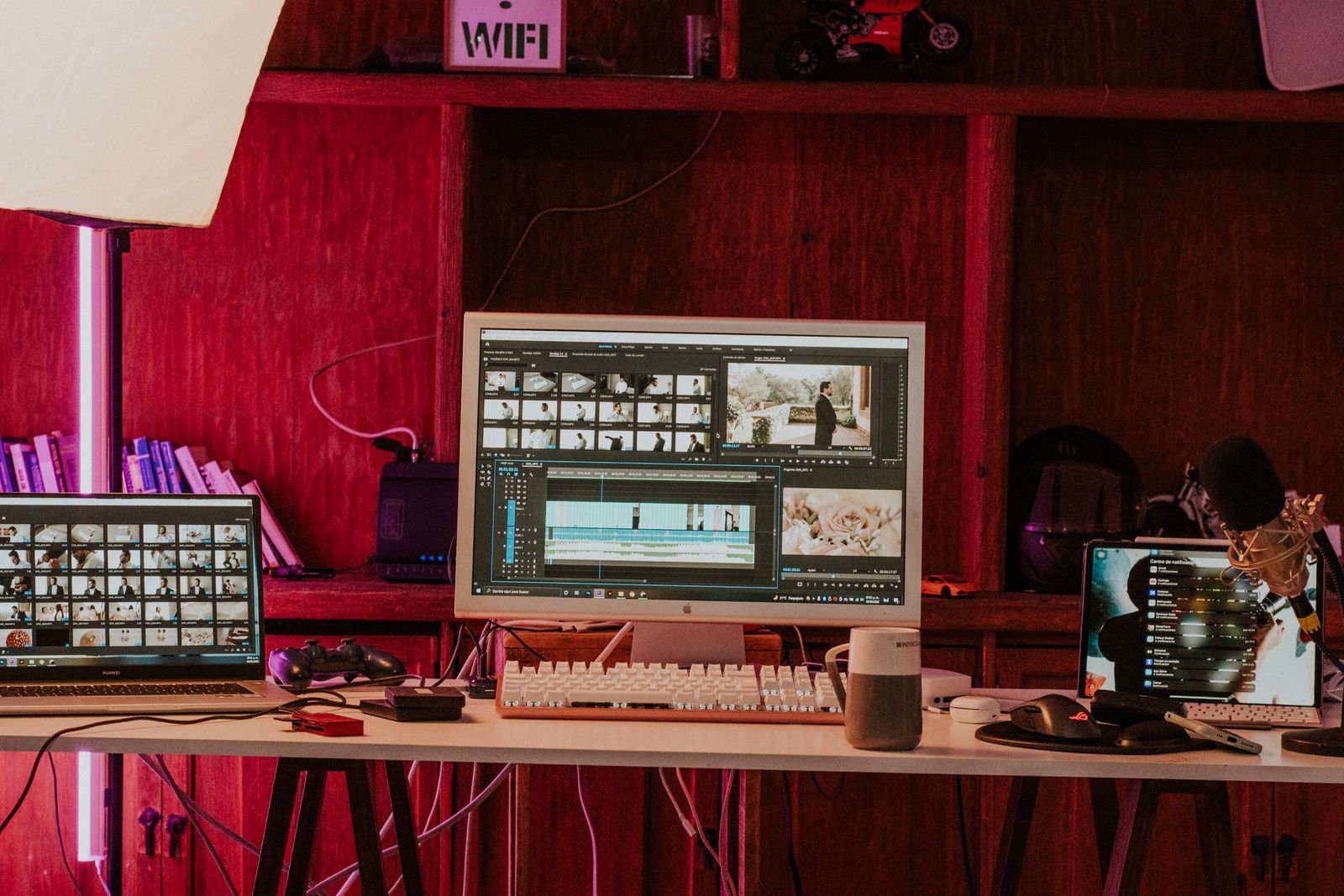
Prompting for video: think in shots, not sentences
Every beginner writes the same first prompt: a paragraph of story. Every model responds with the same result: a beautiful five seconds in which three things almost happen. Video models think in shots, so prompt like a camera operator briefing a crew of one. A working prompt has five parts, in this order:
- The shot size and camera move. “Wide aerial shot, slow drone push-in” or “close-up, static camera” — this is the instruction the model honours most reliably, and the one beginners omit.
- One subject, one action. A woman opens a door. A boat crosses the frame. Two actions is a negotiation; three is a lottery.
- The setting in concrete nouns. “Rainy Tokyo alley at night, neon signs, wet pavement reflections” beats “cinematic city vibes” every time.
- Light and mood. Golden hour, overcast, candlelit — lighting words carry more visual weight per word than any others in the prompt.
- What to exclude. Most tools accept negative direction (“no text, no watermark, no extra people”), and faces, hands and text are where exclusions earn their keep.
Watch the transformation. Story version: “A chef in a busy restaurant kitchen preparing a special dish for an important guest while the team works around her.” Shot version: “Medium close-up, slow tracking shot moving left: a chef in a white uniform plates a dish at a steel counter, steam rising, warm kitchen light, shallow depth of field, background staff softly blurred.” The second prompt is shorter and produces the better clip, because everything in it is filmable in five seconds. Then iterate like an editor, not a slot player: change one variable per generation, save every prompt beside its result, and build scenes by extending your best frame rather than re-rolling your worst. Remember too that your first frame is a prompt — image-to-video from a composed still, per the workflow in the how-it-works section, remains the highest-leverage technique in the whole craft.
Quality, length and watermarks: the honesty section
Three facts govern this market, and knowing them prevents most disappointment. Length: the standard generation is five to ten seconds (a few tools stretch toward twenty; avatar tools are the exception, running to minutes because a talking head is a solved problem). A sixty-second video is therefore six to twelve generations plus editing, and any workflow priced or planned otherwise is fiction. Quality: resolution figures flatter — several tools “output 1080p” by upscaling a smaller native generation, which looks fine on a phone and soft on a monitor. Faces degrade with distance and crowd size, text inside the frame is still essentially decorative gibberish, and hands remain the industry’s confession booth. Judge a tool by its keeper rate — usable clips per ten generations on your kind of material — not by its showreel.
Watermarks: nearly every free tier stamps its output, and the stamp survives exactly until you pay. This is a legitimate trial design, but it means free generations are for learning and testing, never for publishing; a client video wearing a free-tier watermark is the category’s most recognisable own goal. The related trap is resolution and licensing changing together at the paywall, which the rights section below covers — check both before a project depends on either.
Costs: credits, subscriptions and the meter that never stops
AI video is priced like a taxi meter, and the meter’s unit is the generation. Entry subscriptions at the main tools cluster around the price of a streaming bundle and include a monthly credit ration; professional tiers cost several times more. The arithmetic that matters is not the sticker but the cost per finished second: price a generation, divide by its seconds, then multiply by your keeper rate — if one clip in four survives and each ten-second generation costs a dollar in credits, your finished minute costs roughly twenty-four dollars in generations alone, before editing time. Frontier models at top resolution multiply that figure; Kling-class value tools divide it.
Two habits keep the meter honest. Prototype cheap: draft every shot at the lowest resolution and shortest length, and only regenerate the keepers at full quality — several tools formalise this with draft modes, and all of them permit it manually. And respect the sunk-cost trap: a shot that has eaten fifteen generations is not “almost there,” it is a signal to change the approach — simplify the action, switch to image-to-video, or cut the shot. Free tiers play a real role in this economics for learning and prototyping, and our roundup of the best free AI tools maps which free video allowances refresh, which expire, and which are demos dressed as tiers.

Commercial rights: read the terms before the client does
Owning your output is a tier feature, and the variation is the widest in this guide. The common pattern: paid tiers grant commercial use of what you generate; free tiers frequently restrict output to personal use and watermark it, a double lock that makes free output unpublishable for business regardless of quality. Terms also differ on inputs — some services claim licences over uploaded faces and footage — and on the frontier models bundled into chatbot subscriptions, where the governing terms are the subscription’s, not a video product’s. Before any client or monetised work: confirm your tier grants commercial rights, save a dated copy of the terms page, and keep the invoice. Platforms add a second layer: YouTube, TikTok and Meta all require disclosure labels for realistic AI-generated content, and undisclosed synthetic media is a policy violation independent of who owns it.
Likeness is the brightest line. Generating a real, identifiable person — celebrity, client, colleague, stranger — saying or doing things they did not, crosses from copyright questions into publicity rights, fraud and platform bans, and avatar tools’ consent checks exist because the abuse arrived before the etiquette. Your own face and voice, or a licensed actor’s, with consent on file: those are the presenters. Music deserves the same care — a generated clip’s soundtrack may come from libraries with their own terms; when in doubt, add music in the editor from a library you have actually licensed. None of this is an argument against commercial AI video; it is the checklist that separates the professionals using it from the anecdotes about it.
Frequently asked questions
Which AI video generator is best overall in 2026?
Runway, for control and workflow — it is the tool most likely to make the shot you specified. Kling is the best value, the Sora class sets the quality ceiling, and the right answer for most creators is one workbench tool plus one of those two.
Can I make a full video with AI alone?
A short one, yes — assembled from five-to-ten-second generations, finished in an editor like CapCut, with music and captions added there. A long one is a genuine production project in which AI replaces the camera, not the producer.
Why do my generations look worse than the demos?
Because demos are selected from many attempts and yours are first attempts. Prompt in shots (one action, named camera move, concrete setting), start from a strong still image, and expect a keeper rate of one in three to one in five while learning.
Are free AI video generators worth using?
For learning and prototyping, absolutely — Kling’s refreshing credits and Pika’s free tier teach the craft at zero cost. For publishing, no: watermarks and personal-use terms disqualify free output for anything public or commercial.
Do I own videos I generate?
On paid tiers of the major tools, you generally receive commercial rights to your output, with the platform retaining narrow licences described in its terms. On free tiers, usually not for commercial use. The terms of your tier, saved at the time of generation, are the only answer that counts.
Is AI video going to replace filming?
For B-roll, product clips, explainers and content that could not justify a camera at all, it already has. For performances, events and anything whose value is that it really happened, the camera’s job is safe — a generated wedding video is a screensaver, not a memory.
The bottom line
The best AI video generator tools of 2026 divide the work honestly: Runway for control, Kling for value, Pika for play, Luma for natural motion, the Sora class for the frontier, HeyGen when the video is a person talking, and CapCut to finish everything. Choose by the job, prompt in shots rather than stories, start from stills when it matters, prototype at draft quality, and read your tier’s commercial terms before a client ever sees a frame. Do that, and the technology keeps its one real promise — not a film from a sentence, but the shots you could never afford, at a price you can. Our AI tools and artificial intelligence section tracks these generators as the models and prices churn, because in this category the leaderboard is rewritten quarterly — and the creators ahead will be the ones whose workflow survives every rewrite.