
ChatGPT is the chatbot that taught the world what AI could do, and for most people it is still the default tab. But defaults have a way of becoming habits rather than choices. In 2026 every major tech company — and a few insurgents — ships a chatbot that beats ChatGPT at something: writing that sounds human, research that shows its sources, a free tier with no real ceiling, or deep roots inside the apps you already use. If you have only ever used one chatbot, you are not using the best tool for your job; you are using the first one you met.
This guide compares the genuine alternatives, job by job, with the honest trade-offs most listicles skip. If ChatGPT is still new to you, start with our beginner walkthrough on how to use ChatGPT — the prompting skills there transfer to every chatbot below, because the craft is the same even when the logo changes. Then come back and choose your daily driver with open eyes.
Why people look for a ChatGPT alternative in 2026
Almost nobody switches because ChatGPT is bad. They switch because of friction, and the friction comes in predictable flavours:
- The cap arrives at the worst moment. Free and even paid tiers ration the best models. Mid-deadline, your allowance ends and the downgrade begins.
- The writing has a house style. ChatGPT’s default voice — enthusiastic, listy, fond of em-dashes and “delve” — is recognisable across the internet. Writers who publish under their own name eventually want a voice that is less… everyone’s.
- It lives in its own world. ChatGPT does not know your Gmail, your Drive, your calendar or your Office documents unless you carry them to it. Rivals built into those ecosystems start every task already holding your context.
- Answers without receipts. ChatGPT can search the web, but its instinct is to tell you things. For research that must be checked — a statistic, a quote, a claim in a report — a chatbot that leads with citations is a different, safer instrument.
- Privacy and data questions. Where your chats are stored, whether they train future models, and which company’s terms govern them are real differences between providers, not fine-print trivia.
- Price. One subscription is a rounding error; three competing ones, renewed monthly for a whole team, is a budget line. Several rivals now give away what ChatGPT charges for.
Underneath all of this sits a simple fact: the field has widened enormously since the first chatbot boom. The history of artificial intelligence reads like a single-lab story for decades; the last three years turned it into a genuine market, and markets reward shoppers.
The alternatives at a glance
| Chatbot | Best for | Free tier | Standout strength | Watch out for |
|---|---|---|---|---|
| Claude | Writing, long documents | Yes, capped | Most natural writing voice; huge documents | Usage caps bite mid-task |
| Google Gemini | Research, Google users | Yes, generous | Live web + Gmail/Drive/Maps context | Quality varies by task type |
| Microsoft Copilot | Everyday free use, Office users | Yes, generous | Premium-class model, free | Answers can feel brief |
| Perplexity | Research with sources | Yes | Every answer cited, fast | A search engine first, a writer second |
| DeepSeek | Power users, zero budget | Yes, very generous | Strong reasoning, costs nothing | Data hosted in China; app polish |
| Meta AI | Casual use, social apps | Yes | Built into WhatsApp/Instagram | Shallow for serious work |
| Le Chat (Mistral) | Speed, European data rules | Yes | Very fast; EU-based company | Smaller ecosystem |
| Grok | X users, real-time posts | Limited free | Live X/Twitter firehose | Personality over precision |
No row wins every column — that is the point of the table. The sections below give each serious contender its honest hearing.

Claude: the best writer in the room
If your work is words — articles, reports, scripts, long documents that need reading and reasoning over — Claude is the alternative most ChatGPT users switch to and stay with. Its writing has a quality the others chase: sentences vary, the tone can be genuinely restrained, and it pushes back on a weak argument instead of applauding whatever you typed. Feed it a 200-page PDF and it will discuss the whole thing, not the first chapters it could be bothered with.
The free tier is real but rationed by total usage rather than message count, which produces its signature frustration: the lockout arrives silently, mid-afternoon, for hours. Professionals route around it exactly the way they route around ChatGPT’s caps — by keeping a second chatbot warm. Paid plans remove most of the ceiling, and for heavy writers the upgrade is usually the first AI subscription that earns its keep.
Choose Claude if: you write for a living, you read long documents, or ChatGPT’s voice makes your teeth itch. Stay with ChatGPT if: you live on voice mode and image generation, where OpenAI’s polish still leads.
Google Gemini: the researcher inside your Google account
Gemini’s advantage is not raw brilliance — it is position. It sits inside Gmail, Docs, Drive, Maps and YouTube, which means it can summarise the thread, find the file, check the route and pull the transcript without you exporting anything. For anyone whose working life already runs on Google, that context is worth more than a few IQ points on a benchmark.
It is also a strong researcher in its own right: fast, current, and happy to work across text, images and video in one conversation. The honest caveat is consistency — Gemini’s answers swing more between excellent and oddly shallow than Claude’s or ChatGPT’s, so the verification habit matters. Ask it to show sources, and follow them.
The free tier is among the most generous of the majors, and on Android it increasingly is the assistant, replacing the old Google Assistant in daily taps. Choose Gemini if: your files, mail and calendar live with Google. Stay with ChatGPT if: you need one consistent voice for long writing projects.
Microsoft Copilot: the best free all-rounder
Copilot is the quiet scandal of the chatbot market: a premium-class model, wrapped in Microsoft’s ecosystem, with a free tier generous enough that many users never learn what its limits are. It answers, searches, generates images and lives inside Windows, Edge and the Office apps — Word, Outlook, Excel — where for office workers it may be the only chatbot that matters, because it drafts the email in the email.
Its manner is brisker than ChatGPT’s; conversations feel more like briefings than chats, which some users love and others find curt. It is also the easiest recommendation for a workplace that already pays for Microsoft 365: the assistant is already installed, already approved, already signed in.
Choose Copilot if: you want maximum capability at $0, or your job runs on Office. Stay with ChatGPT if: you prefer longer, more conversational collaboration and the richest third-party ecosystem.
Perplexity: answers with receipts
Perplexity is what happens when a search engine and a chatbot have a child that inherits the best of both: you ask a question, it reads live sources, and it answers in prose with numbered citations attached to every claim. For research, fact-checking, market scans and any question where “says who?” matters, this is the tool professionals quietly open first.
It writes competently but without Claude’s flair, and it is not where you would draft a novel. Treat it as the research department, not the writing desk — which is exactly how students use it: our guide to the best AI tools for students builds its whole research workflow on Perplexity’s cited answers, because an essay built on checkable sources survives scrutiny that a confident hallucination does not.
The free tier covers unlimited quick searches plus a daily ration of deep, multi-step research queries — enough for most desk research. Choose Perplexity if: your questions need sources. Stay with ChatGPT if: your work is creating, not verifying.

DeepSeek: the free-and-open disruptor
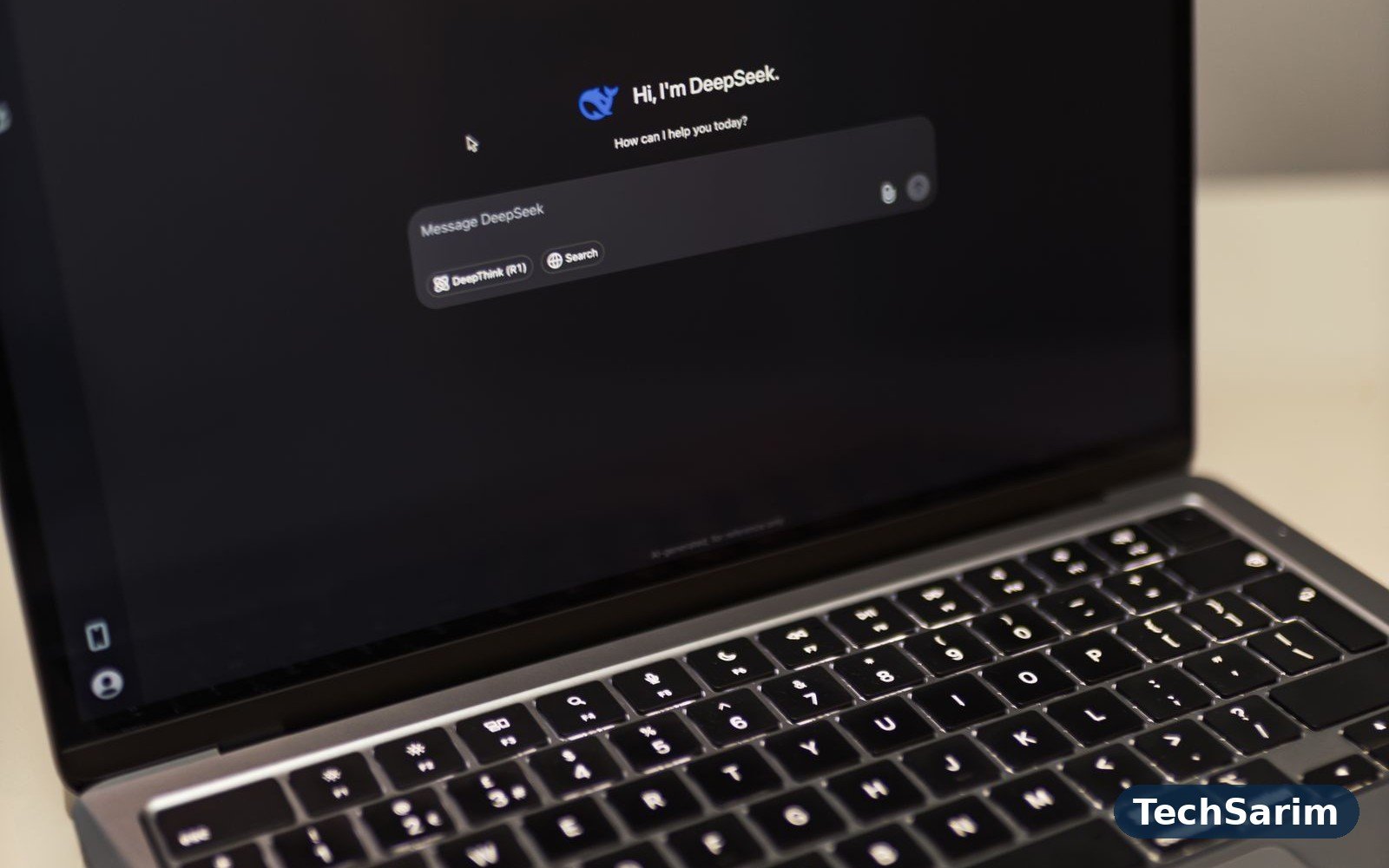
DeepSeek arrived from China and detonated the market’s pricing assumptions: a chatbot with reasoning strong enough to embarrass paid rivals, offered free, with models whose weights were released openly for anyone to run. For technical users it is a genuine revelation — strong at maths, code and structured reasoning, and its “deep think” mode shows its working in a way that teaches while it answers.
The trade-offs are not technical. Your chats live on servers under Chinese jurisdiction, which for casual questions is a shrug and for company-confidential work is a decision your employer should make, not you. The apps are functional rather than polished, and availability has wobbled under demand spikes. Used with clear eyes — brilliant for learning, coding help and general questions, kept away from sensitive data — it is the most capability anyone has ever given away.
Choose DeepSeek if: budget is zero and the questions are not confidential. Stay with ChatGPT if: your data terms are dictated by your job.
The quick bench: Meta AI, Le Chat and Grok
Meta AI is the chatbot you already have: built into WhatsApp, Instagram and Facebook, free, fast and perfectly good for everyday questions, captions and quick ideas where your friends already are. Depth is not its brief; convenience is, and it wins that contest by default.
Le Chat by Mistral is the European entry — startlingly fast, capable in several languages, and run by an EU company under EU data rules, which settles the privacy question for many European users and organisations. Its ecosystem is smaller, but as a pure chatbot it gives up little to the giants.
Grok, from xAI, plugs straight into the live X (Twitter) firehose, making it the fastest route to “what is happening right now and what are people saying about it.” Its personality is deliberately irreverent; use it for real-time colour and breaking chatter, and verify anything that matters in a second source.
Which alternative is best for your job?
Stop asking which chatbot is “best” and ask which is best for the task in front of you:
- Writers and editors: Claude, for voice and long documents. ChatGPT remains the best brainstorming sparring partner — many writers run both and edit the survivor.
- Students and researchers: Perplexity for sourced answers, Gemini for orientation across Google Scholar and the web, Claude for reading the long paper once you have found it.
- Office workers: Copilot if your company runs Microsoft 365; Gemini if it runs Google Workspace. The chatbot inside your documents beats the smarter one outside them.
- Developers: Claude and ChatGPT trade the lead release by release; DeepSeek is the free sparring partner that costs nothing to consult for a second opinion.
- The budget is zero: Copilot and DeepSeek give away the most, and our roundup of the best free AI tools maps exactly where each free tier’s wall stands, so a cap never ambushes you mid-task.
- Privacy decides it: Le Chat for EU data handling, or any provider whose data-training toggle you have deliberately set — and for genuinely sensitive material, the only safe chatbot is a local model or none.
Notice the pattern: most heavy users end up with a pair — a primary chatbot and a specialist for research or writing. The pair usually costs one subscription or none.
How to switch without losing your work
Switching feels bigger than it is. Your real assets are not the chat history — they are your prompts, your context documents and your habits. Move them properly:
- Export first. ChatGPT and Claude both let you download your data from settings. Even if you never open the file, the archive is your insurance.
- Harvest your best prompts. Scroll your history for the ten conversations that produced your best work and save those prompts in a notes document. Prompts are portable; they work, with minor tuning, in every serious chatbot.
- Rebuild your “standing brief.” The paragraph you always end up typing — who you are, your audience, your tone, your format — becomes the first message in your new home, or its custom-instructions field if it has one.
- Run both for one week. Ask the same real questions in each, on your real work. Benchmarks will not tell you which voice fits your writing or which research style you trust; a week of side-by-side work will.
- Then demote, don’t delete. Keep the free tier of your old chatbot as the backup. Caps, outages and one-off strengths mean the “loser” still earns its tab.

Privacy and data: the real differences
Every chatbot on this page is run by a company that would like your data to improve its models, and every one now offers some form of opt-out — the differences are in defaults, jurisdiction and clarity. ChatGPT and Claude offer training opt-outs and temporary/incognito modes; Gemini ties into your Google account’s activity controls; DeepSeek’s data sits in China; Mistral operates under EU law. None of this makes any of them “unsafe” for everyday questions, and all of it matters for client data, health details and unreleased work.
This is why the guidance layer matters as much as the settings page: frameworks published by bodies like UNESCO’s AI hub — on ethics, education and data governance — are what regulators and schools increasingly work from, and reading your provider against them is a five-minute education in what to expect. The practical rules stay simple across every chatbot: set the training toggle deliberately, keep genuinely confidential material out of consumer tiers, and use the business/education plans — with contractual data terms — when the work demands it.
Frequently asked questions
What is the best free alternative to ChatGPT?
Microsoft Copilot for all-round capability at no cost; DeepSeek if you want the strongest free reasoning and your data is not sensitive. Claude’s and Gemini’s free tiers complete a stack that, combined, most people never outgrow.
Which ChatGPT alternative writes the most like a human?
Claude, consistently — especially on long pieces, where its structure and restraint hold up. It is the switch most professional writers report making first.
Can I use more than one chatbot, or must I pick a side?
Use several. There is no loyalty programme for chatbots. Most power users keep a primary, a research tool (Perplexity) and a free backup, and let each task go to the strength that fits it.
Will my prompts work in another chatbot?
Yes — prompting is a transferable skill and good prompts travel well. Expect to tune tone and format instructions slightly per tool; the core brief works everywhere.
Which alternative is best for coding?
It changes by the month: Claude and ChatGPT trade the lead, and both are excellent. DeepSeek is the strongest free second opinion, and asking two models the same debugging question is a legitimate professional technique, not indecision.
Is it worth paying for an alternative if ChatGPT free works for me?
Pay only when a specific wall costs you something — a cap at deadline time, a document too long for the free tier, a team that needs contractual data terms. Until then, the free tiers of the rivals above are not a compromise; used together, they are a system.
The bottom line
ChatGPT earned its crown, but in 2026 it holds it against real competition. Claude out-writes it, Perplexity out-cites it, Copilot and DeepSeek out-give it, and Gemini out-contexts it for the Google faithful. The smart move is not defection — it is a portfolio: one primary chatbot chosen for your main job, one specialist for research or writing, and the free tiers of the rest as insurance against caps and outages. Try the pairing your work points to, run the one-week side-by-side test, and keep your prompts portable. Our AI tools and artificial intelligence section tracks these rivals release by release, because the honest answer to “which chatbot is best” changes quarterly now — and your workflow should be built to change with it.
[…] its built-in image mode may cover casual needs without a new account — our guide to the best ChatGPT alternatives notes which assistants include image generation and how their free limits […]