


Buying a cheap laptop is the easiest purchase in tech to get wrong, because the budget shelf is where the industry’s compromises go to hide. Two machines can sit side by side at the same price with the same processor name on the sticker, while one is a genuinely good computer you will happily use for five years and the other is a slow, dim-screened regret with too little memory, storage that cannot be replaced and a battery already plotting its decline. The box copy will not tell you which is which. The difference lives in the specification lines most buyers skim — and in a second market, refurbished business machines, that most buyers never look at at all.
This guide, part of our Tech Gadgets & Product Reviews coverage, is built differently from a typical “top ten deals” list. It names no specific model as a benchmarked winner, because budget models churn too fast and street prices move too much for that to stay honest. Instead it gives you the three things that actually protect your money: a spec floor below which no new laptop is worth buying at any price, the three value tiers explained so you can judge any machine you find against them, and the refurbished route — the cheat code that quietly delivers the best budget laptop of all for many people. Judge every candidate against this page and you will rarely go wrong.
One scope note. If the laptop is specifically for a student, our dedicated guide to the best laptops for students matches machines to courses and campus life. This guide is the general one: home users, families, home-office workers, small businesses and anyone whose requirement is simply “a proper laptop that does not waste my money.”
The spec floor: the minimum worth paying for
Every section after this one is negotiation. This one is not. Below these lines, a new laptop is not a bargain at any price, because the compromises cannot be fixed later and they tax you every single day you use the machine. Above these lines, almost any from a reputable brand line will serve you well, and the choice becomes about tiers and taste rather than survival.
| Component | The floor for 2026 | Why it is the floor |
|---|---|---|
| RAM | 16GB | Windows 11, a browser with real tabs and one or two apps will crowd 8GB; 16GB is the difference between a laptop that ages gracefully and one that stutters from month three |
| Storage | 512GB SSD (256GB absolute minimum) | An SSD is non-negotiable for speed; 256GB fills alarmingly fast once Windows, updates and a photo library move in |
| Storage type | NVMe or SATA SSD — never eMMC | eMMC is phone-grade flash: slow, small and almost always soldered in place |
| Screen | 1920×1080 (Full HD) IPS, 300 nits or brighter | Below this you get washed-out colours, narrow viewing angles and text that is visibly soft |
| Processor | Intel Core i3 / Core 3 or better; AMD Ryzen 3 or better (recent generations) | The entry chips of the last few generations handle everyday work comfortably; the tier below them does not |
| Operating system | Windows 11 (full, not S mode) or ChromeOS by choice | Microsoft’s own Windows 11 specifications set the supported baseline — a new machine should clear it with room to spare |
| Ports and wireless | USB-C, at least two USB-A, HDMI, Wi-Fi 6 | Dongle-dependence is a hidden tax on a cheap laptop; Wi-Fi 6 is now standard even at this end |
| Battery | Roughly 50Wh or more, honest all-day claims aside | Watt-hours are printed in spec sheets and hard to fake; very small batteries mean a life lived next to a socket |
Three of these lines deserve emphasis, because they are where the traps are set. The first is RAM. For years 8GB was the sensible budget answer; in 2026 it is the minimum at which Windows merely functions, not the amount at which it feels good. Between the operating system, a modern browser, a chat app, an antivirus and a document or two, 8GB is spoken for before you do anything ambitious, and the machine covers the shortfall by shuffling data to the drive — which is precisely the slowness people blame on “cheap laptops.” Sixteen gigabytes is the new floor, and the modest price step to reach it is the best-value upgrade on the entire specification sheet.
The second is storage, in both type and size. Our SSD vs HDD comparison covers the technology in depth, but the short version for laptop buyers is absolute: a solid-state drive is what makes a modest processor feel fast, and no new laptop should ship with a spinning drive or with eMMC flash, the slow, small, soldered storage borrowed from budget phones and tablets. On size, 256GB is survivable for a light user with cloud habits; 512GB is the capacity that stops you managing space like a part-time job, and it is standard in the sweet-spot tier below.
The third is the screen, the component you will look at for every second of the laptop’s life and the one budget marketing mentions least. The traps have names: 1366×768 resolution, advertised as “HD” as if that were praise; TN panels with viewing angles so narrow the picture inverts when you slouch; and brightness figures around 220–250 nits that are fine in a dim room and washed out near a window. A 1080p IPS panel at 300 nits or better is not a luxury specification — it is the difference between a screen you enjoy and one you tolerate, and in 2026 it is available at budget prices if you refuse to settle for less.

The three value tiers, honestly priced in shape
Because exact prices vary by country, retailer and the week’s promotions, this guide describes tiers by shape rather than pretending a number printed today survives the month. Think of the bottom of the new-laptop market as having three landings, and of your job as deciding which landing you are on — then buying the best citizen of that landing rather than a discounted refugee from the one above.
The cheapest usable tier is the floor itself: machines built to the table above and not a line further. Expect competent processors from the entry tier of recent generations, plastic bodies that are sturdier than their reputation, keyboards that are fine rather than lovely, and screens that meet the floor without exceeding it. The brand lines that live here — Lenovo’s IdeaPad-class machines, Acer’s Aspire-class, the mainstream HP and ASUS VivoBook-class ranges — are all respectable, and within the tier you are choosing between keyboard feel, port selection and whoever is discounting that week. What you must not do is go below this tier to save a little more: the machines under the floor are not cheaper versions of these, they are a different and worse product category.
The sweet spot sits a clear step above, and it is where most people should buy. In shape, it buys you some combination of a stronger processor tier, a better screen (brighter, sometimes higher resolution or better colour), a metal or part-metal chassis, a backlit keyboard, a larger battery and faster charging. None of those is essential; together they are the difference between a laptop you use and a laptop you like. The sweet spot is also where last year’s mid-range models land when they are discounted, and a reduced machine from a better line is very often a wiser buy than a full-price machine from the budget line — same money, better bones.
The stretch tier is the top of the budget market, where machines begin to borrow from the premium shelf: high-resolution or OLED screens appear, build quality turns genuinely elegant, and processors step up another class. The honest warning here is about gravity: at this level you are close to the price of entry premium laptops and of refurbished flagships, and the comparison is no longer “which budget laptop” but “is new-and-budget better than discounted-and-premium.” Sometimes yes — warranties and battery freshness matter — but make the comparison deliberately rather than drifting upward model by model until the budget is a memory.
Across all three tiers, one buying habit protects you: compare the specification sheet, not the badge on the lid and not the size of the discount. A “40% off” claim against an invented list price is the oldest trick on the budget shelf. The floor table above cannot be flattered, which is exactly why it is the tool to shop with.
Chromebooks: the honest alternative
Any truthful budget guide has to reckon with the Chromebook, because at the cheapest usable tier it is not a compromised Windows laptop — it is a different answer to the same question. A Chromebook is still a laptop in the full sense — keyboard, screen, battery, clamshell — but it runs Google’s ChromeOS instead of Windows, and that one decision cuts both ways with unusual clarity.
Who Chromebooks suit, they suit beautifully. If your computing life happens in a browser — email, documents and spreadsheets in web apps, video calls, streaming, banking, school platforms — a Chromebook at a given price will typically feel faster, boot quicker, update invisibly and run longer on its battery than a Windows machine at the same price, because the operating system asks so much less of the hardware. They are close to maintenance-free, famously resistant to the malware that plagues Windows, and the better “Chromebook Plus” class machines have screens and keyboards that shame budget Windows laptops. For children, for grandparents, for a second household machine, and for anyone whose required software is a website, they are often the smartest budget buy of all.
Who they strand is equally specific. If you need a real Windows program — the full desktop Microsoft Office with its advanced features, Adobe’s creative applications, most accounting and CAD packages, Windows-only workplace software — a Chromebook does not run it, and no workaround changes that verdict honestly. PC gaming is effectively off the table beyond streaming services. Printing and older peripherals can be a fight. And while Android apps and a Linux environment soften the edges, they do not turn the machine into a Windows laptop for the person who needs one. The rule is simple to state and worth obeying: list the programs you genuinely cannot live without. If they are all websites, a Chromebook belongs on your shortlist. If even one is a Windows application you rely on, it does not.
One more honest note, because it is the Chromebook trap that actually bites: check the update expiry date. ChromeOS devices receive updates until a published end date, and cheap older stock sometimes has surprisingly little support life left. Buy a model with many years remaining, or do not buy it at all.
The refurbished cheat code: yesterday’s business flagship
Here is the budget market’s open secret. Large companies buy laptops by the thousand — business-class machines built to a standard consumer lines rarely match: magnesium or aluminium chassis, excellent keyboards, screens chosen for people who stare at them all day, ports galore, and internals designed to be opened and repaired by an IT department. Three or four years later those fleets are retired in bulk, and the machines flow to refurbishers who test them, replace or grade their batteries, fit fresh storage, and sell them with a warranty for the price of a mediocre new budget laptop — sometimes less. The Lenovo ThinkPad-class is the famous example, with Dell’s Latitude-class and HP’s EliteBook-class machines keeping the same secret.
For many buyers, this is simply the best budget laptop available. The machine you get was built to survive corporate life, its parts — keyboards, screens, hinges, batteries — remain available years later because fleets depended on them, and its upgradeability (the next section) is usually the best in this entire guide. A refurbished business flagship of a few years ago will out-type, out-last and out-connect a new budget machine at the same money, and it is not particularly close.
Now the honesty, because the cheat code has conditions. The battery is the first: even a refurbisher-graded battery is a used battery, and while reputable sellers state a minimum capacity health and replace packs that fall short, you should expect good battery life rather than the all-day figures of the machine’s youth — and budget for a replacement pack in a year or two, comforted by the fact that on these machines the battery is actually replaceable. The warranty is the second: you are trading the two or three years of a new machine for typically six to twelve months from the refurbisher, which makes the seller’s reputation the real warranty. Buy from an established refurbisher with graded stock, a stated battery policy and a returns window — never from an anonymous marketplace listing with stock photos. Third, inspect on arrival: screen for pressure marks and dead pixels, keyboard for shiny worn keys (cosmetic, but informative), ports, fan noise, and the battery health report the operating system can generate. Fourth, expect a processor a few generations old — entirely adequate for everyday work, which is the point, but not the choice for heavy creative workloads. Respect those conditions and the refurbished route is not a compromise; it is an arbitrage, and it is the recommendation in this guide that saves the most money for the least sacrifice.

Upgradeability: buy the laptop you can improve later
A budget laptop bought with an upgrade path is a different financial proposition from one bought without one, because the two cheapest performance rescues in computing — more RAM, more storage — are only available if the manufacturer left the door open. Before buying any machine in this guide’s tiers, spend five minutes checking three things, all findable in the model’s full specification or a teardown review.
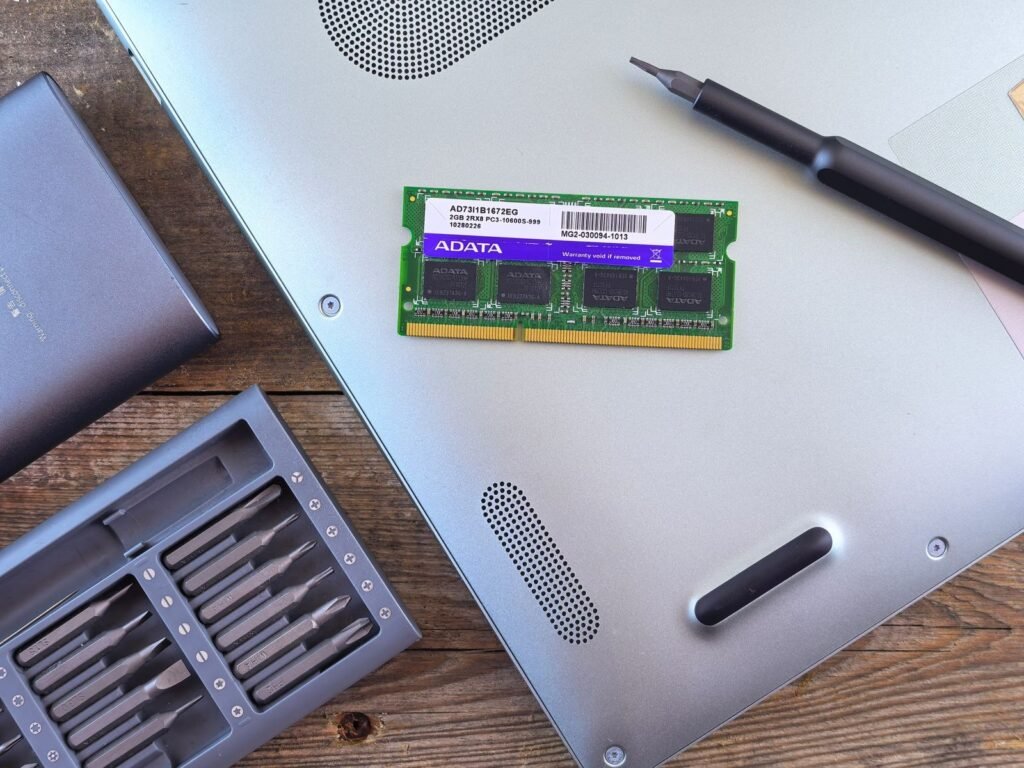
First, the RAM: is it in slots, or soldered to the board? Soldered memory is fixed forever at whatever you buy today, which turns the 16GB floor from advice into a hard requirement — and makes any soldered 8GB model an automatic rejection, since its biggest weakness can never be repaired. A machine with one filled slot and one free slot, or two replaceable sticks, can grow from 16GB to 32GB years later for the price of a modest dinner out. Second, the storage: a standard M.2 slot means the SSD can be swapped for a larger one when 512GB eventually pinches; a second empty slot, still found on some larger budget models, is a gift. Third, the battery and the bottom panel: screws rather than glue, and a battery held by screws and a connector rather than adhesive, mean the component that will definitely wear out can be replaced in minutes. Business and refurbished lines win this section by design; thin consumer models are where soldering and glue concentrate, so check rather than assume.
Why this matters so much is worth a paragraph, because it is the same lesson as our guide to how to speed up a slow laptop: most “old and slow” laptops are not worn out, they are starved — short of memory or strangled by a full, slow drive. On an upgradeable machine those are weekend fixes that buy years. On a sealed machine they are a death sentence delivered by a spec sheet you could have checked for free. Buy the laptop whose second act you can afford.
What to never buy in 2026, stated fairly
Fairness matters here, because every item below exists on a shelf somewhere with a plausible story attached. Stated plainly, though, as new purchases with your own money in 2026, these are the specifications to walk away from — with the narrow exceptions named, because honesty includes those too.
4GB of RAM. This is the single worst specification still sold new. Windows 11 on 4GB is not slow in the sense of taking a moment; it is slow in the sense of struggling to hold the operating system and a browser at the same time, paging constantly to storage, and making every task a negotiation. It survives on shelves because it manufactures a low headline price. Even for a child’s first laptop or a machine destined for one light task, 8GB is the true minimum and 16GB the recommendation — at 4GB you have not saved money, you have bought a problem at a discount.
eMMC storage. Borrowed from cheap phones and tablets, eMMC is markedly slower than a proper SSD, usually comes in cramped 64GB or 128GB sizes that Windows updates alone can overwhelm, and is soldered down so it can never be replaced or enlarged. A machine with eMMC and a large-sounding processor is a horse with wooden legs. Walk away, or — the one fair exception — consider it only in a Chromebook, where the operating system’s lightness makes small, simple storage far more workable.
Celeron-class processors in a Windows laptop. The entry Celeron and equivalent lines (and their confusingly renamed successors) are built for the cheapest possible machines and light embedded jobs, and in a Windows laptop they deliver an experience that colours a buyer’s opinion of computing itself: hesitant, stuttering, always behind the click. The fair statement is that they can run a browser and a document; the honest one is that nobody who has a choice should accept that as the ceiling of a new machine in 2026, when the cheapest usable tier above starts from genuinely capable entry Core and Ryzen chips. In a Chromebook, where the demands are a fraction, the judgement softens; in Windows, it does not.
A 1366×768 screen on anything larger than a tiny secondary machine. Sold as “HD,” which is technically a resolution name and practically a deception at laptop sizes: soft text, cramped working space and, in almost every case, a dim TN panel attached. A new laptop’s screen is the one component you can neither upgrade nor escape. Full HD IPS is the floor, full stop.
Anything sold mainly on a discount. A machine whose listing leads with a percentage off and hides its RAM, storage type and screen resolution in small print is telling you how it wishes to be judged. Judge it by the floor table instead — it takes ninety seconds, and it is the whole game.
Frequently asked questions
How much should I actually spend on a budget laptop in 2026?
Enough to clear the spec floor, which in most markets means the cheapest usable tier and not a penny less. Spending below the floor saves a small amount once and costs you speed every day; spending up to the sweet spot buys comfort — screen, battery, build — rather than survival. Decide which of those you are purchasing and the amount follows.
Is 8GB of RAM really not enough any more?
For a Chromebook or a very lightly used machine, 8GB remains workable. For a Windows laptop you intend to keep for years, 16GB is the sensible floor in 2026: modern Windows, browsers and everyday apps have grown into the memory, and on the many models with soldered RAM there is no later fix. If a slotted 8GB model is dramatically cheaper and you are genuinely prepared to add a stick yourself, that is the one reasonable exception.
Are refurbished laptops a risky buy?
From an established refurbisher with graded stock, a stated battery-health policy, a returns window and a real warranty, they are among the lowest-risk purchases in this guide — business machines were built to be serviced, and parts remain available for years. The risk lives in anonymous marketplace listings with no grading and no returns. The seller matters more than the sticker.
Chromebook or budget Windows laptop — which should I choose?
List the programs you cannot live without. If they are all websites and web apps, a Chromebook at the same price will usually feel faster, last longer on battery and ask less of you — buy the Chromebook. If even one essential program is a Windows application, buy the Windows laptop that clears the floor. This single question settles it almost every time.
How long should a budget laptop last?
A floor-clearing machine from a mainstream brand line, or a refurbished business laptop, should give four to six years of everyday service, typically with one battery replacement in that span on machines where the battery is replaceable. The below-floor machines feel old within a year — which is the most expensive outcome of all, because it restarts the purchase.
When is the best time to buy?
The pattern repeats yearly in most markets: the deepest discounts land around the major sale seasons and when a line is refreshed and last year’s model — often nearly identical — is cleared. A discounted sweet-spot machine from the previous generation beats a full-price current budget model more often than not. If you can wait for a sale window without suffering, it is worth real money.
The bottom line, by budget
The tightest budget that still buys a proper laptop: buy to the floor and not a line under it — 16GB of RAM, an SSD of at least 256GB and preferably 512GB, a 1080p IPS screen, an entry Core or Ryzen processor — from whichever mainstream line (IdeaPad-class, Aspire-class, HP or VivoBook-class) is discounted this week, or give a Chromebook Plus-class machine a serious look if your life runs in a browser. At this level the floor table is your entire strategy, and it is enough.
The sensible middle: the sweet spot is the recommendation for most readers — the same floor, plus the better screen, bigger battery and sturdier build of a step-up model, ideally last year’s version on clearance. This is the tier where a laptop stops feeling like a compromise, and where cost per year of happy service is lowest.
The smart money: price a refurbished business flagship — ThinkPad-class, Latitude-class, EliteBook-class — from a reputable refurbisher against everything above before you buy anything. For the price of the cheapest usable tier you may get the best-built, most upgradeable laptop in this entire guide, on the honest conditions that its battery is used and its warranty is a refurbisher’s rather than a manufacturer’s. For a great many people, that trade is not a sacrifice at all. It is the cheat code, and it wins.