

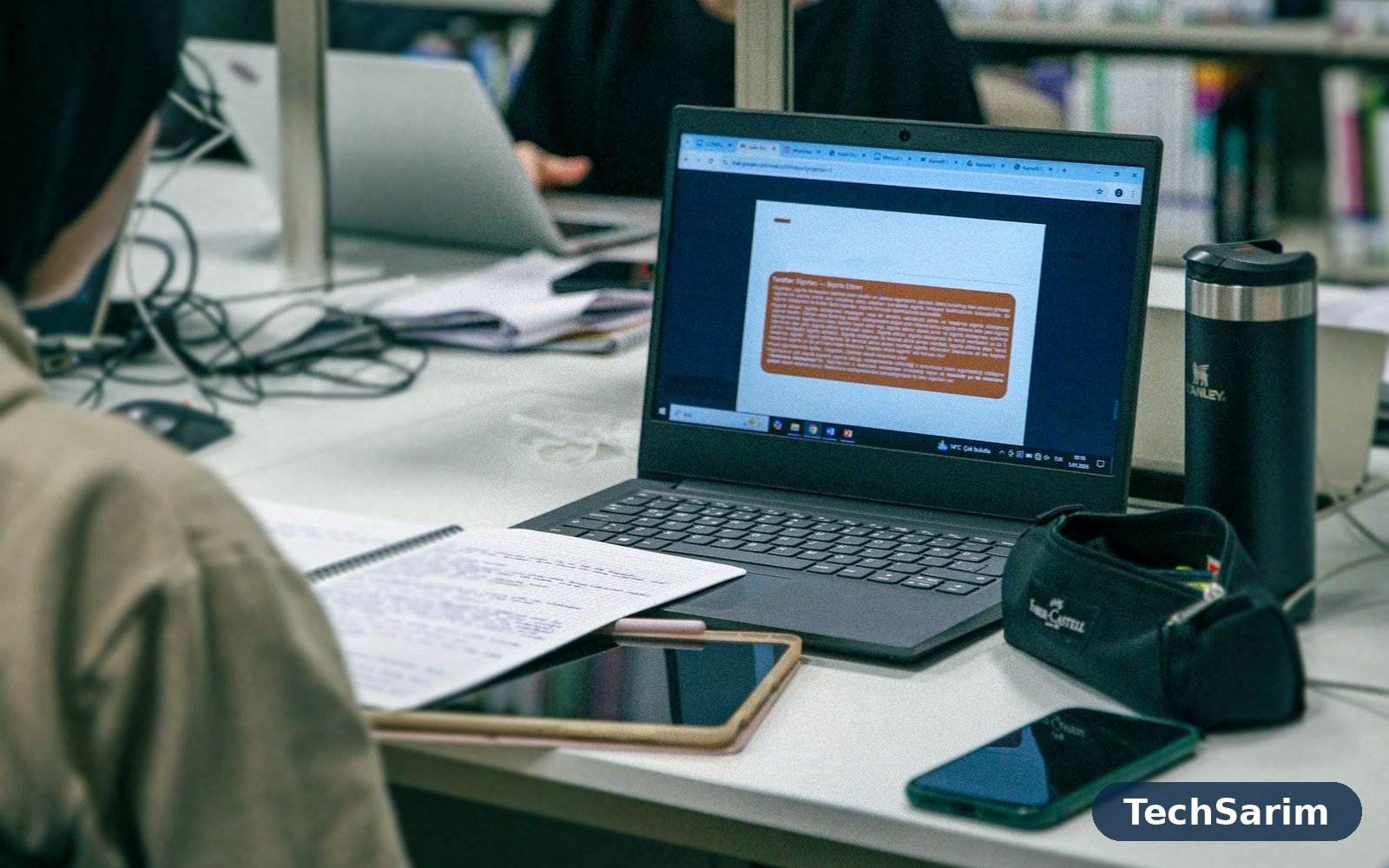
Every September, students spend money on tech in exactly the wrong order. The fun gadget gets bought first — the one from the video, the one a flatmate showed off — and the boring essential gets bought in a panic in week three, at whatever price the nearest shop feels like charging, usually the night before a deadline. This guide exists to reverse that order. It’s part of our Tech Gadgets & Product Reviews coverage, and it works like a queue: buy the things at the top first, because they protect your work and your grades. Buy the middle tier when money allows, because it genuinely makes studying more comfortable. And feel free to skip the bottom list forever, because almost everyone who bought those items did so exactly once.
One honest warning before the list. Gadgets do not fix study habits, and no earbud ever written has turned a skipped lecture into a passed exam. What the right kit does is remove friction and remove disasters: the dead battery in a four-hour library session, the laptop that dies the week essays are due, the only copy of a thesis draft vanishing with a stolen bag. Student tech spending should be, above all, insurance. Everything below is ranked by how much disaster it prevents per unit of money — and where we can’t compare directly with our own dedicated guides, we’ll say what matters and what is marketing.
The student kit at a glance
| Gadget | When to buy | Why it earns its place |
|---|---|---|
| A reliable laptop | First — before term starts | Everything you submit comes out of it |
| Power bank + spare cables | First | A dead phone or laptop ends a study day early |
| Wireless earbuds | First | Focus in libraries, halls and shared houses |
| Backup (drive or cloud) | First | The only protection against losing your work |
| A protective backpack | First | Carries and cushions everything above |
| Tablet + stylus | Later | Great for notes and readings — if you’ll use it |
| Desk lamp, stand, cheap keyboard | Later | Posture and comfort for long sessions |
| Proper noise-cancelling headphones | Later | Shared rooms and noisy dorms |
| Mini projector | Skip | Dim, fiddly, and a phone or TV does it better |
| Gadget multitools & novelty chargers | Skip | Every tool in them is the worst version of itself |
| Expensive smart notebooks | Skip | Paper plus a scanning app does the same job |
Buy first: a laptop that simply works
The laptop is not one gadget among many; it is the platform everything else plugs into, and it deserves the largest share of any student budget by a wide margin. The honest spec floor for a machine that will survive a whole degree hasn’t changed much: a modern mid-range processor, 16GB of RAM if you can possibly stretch to it (8GB works, but it is already the minimum rather than the comfortable point), a 512GB SSD, and a screen you can look at for six hours without your eyes filing a complaint. Battery life matters more than raw speed for most students, because lectures, libraries and trains are where the work happens, and sockets are contested territory.
We go much deeper in our dedicated guide to the best laptops for students, including the Chromebook question and the refurbished-business-laptop route, which remains the single best value play in student computing: a three-year-old corporate machine was built to be repaired, and it shows. Whichever route you take, buy for the fourth year of your course, not the first. The workload only gets heavier, and a laptop that starts struggling in year two was not a saving; it was a loan.
Buy first: power that lasts the whole day
A 10,000mAh-class power bank is the highest-value small purchase a student can make after the laptop itself. It rescues phones during field trips and long library days, tops up earbuds and tablets, and turns “my phone died so I missed the group chat about the room change” from a weekly event into a rare one. Our roundup of the best power banks for smartphones explains the capacity maths honestly — why the number on the box is never what reaches your phone — and which fast-charging standards are worth paying for. Buy one good bank from a known brand rather than two suspiciously cheap ones; a power bank is a battery you carry against your body and leave charging overnight, and that is not the place to save the last few coins.
While you’re at it, solve cables. One long braided USB-C cable for the desk, one short one that lives in the backpack, and a small wall charger that stays in the bag too. The USB naming mess means “USB-C” describes the plug shape, not the speed or charging power — so buy cables rated for the wattage your laptop or phone actually uses, and treat any cable that came free in a drawer as a spare, not a plan. More student tech emergencies are cable emergencies than anyone admits.
Buy first: earbuds — the cheapest focus upgrade you can buy
Shared houses, busy libraries and open-plan study spaces all have one thing in common: somebody else’s noise. A decent pair of wireless earbuds is how you take your focus with you. For studying, the features that matter are comfort over hours, a case that survives a backpack, and battery enough to forget about. Sound quality needs to be pleasant, not perfect — you are listening to lectures, lo-fi playlists and video calls, not mixing an album.
Our guide to the best wireless earbuds in 2026 covers the picks by budget and phone type. The student-specific advice is simpler: buy the tier with a proper warranty from a brand that sells replacement earbuds and cases, because the most common earbud disaster is not breakage — it’s one bud down a drain, in a taxi, or through a washing machine cycle. Mid-priced earbuds with replaceable parts beat flagship earbuds you are afraid to carry.

Buy first: backup — the gadget nobody buys until it’s too late
Here is the least exciting and most important section of this guide. Every year, in every university, students lose finished work: laptops stolen from libraries, drives failing the week of submission, bags left on trains. The fix costs very little. The rule is simple: your work should exist in two places, and at least one of them should not be in the same bag as your laptop.
The two honest options are a portable external drive and cloud storage, and for most students the cloud wins on behaviour, not technology. A drive only protects you when you remember to plug it in; cloud sync protects you continuously, and most students already have some through their university account or a free tier. The drive earns its place for large media files — video projects, photo libraries, datasets — and as a second copy of the truly irreplaceable things: your dissertation folder, your portfolio, your final-year project. Set the sync up in week one, test that you can actually open a file from the other location, and then forget about it. That ten minutes is worth more than every gadget on the skip list combined.
Buy first: a backpack that protects the expensive stuff
The humble backpack is the oldest gadget carrier there is, and students buy it last and worst. What you need is specific: a padded, suspended laptop sleeve that keeps the machine off the bottom of the bag (most laptop corner damage happens when a bag is dropped on its base), water-resistant fabric or a rain cover, and zips that don’t feel like toys. Capacity in the 20–25 litre range swallows a laptop, charger, power bank, water bottle and a change of clothes for the gym. Anti-theft pockets and cut-proof straps are nice; padding and weather protection are essential. A good bag costs a fraction of the laptop it protects and outlasts the degree — it is the cheapest insurance in this entire guide.
Worth it later: a tablet and stylus — with one honest condition
Tablets sit in the middle tier because their value is real but conditional, and the condition is you. For annotating lecture slides and PDF readings, working through maths and science problems by hand, and reading in bed or on trains, a tablet with a stylus is genuinely better than a laptop. Digital notes are searchable, backed up, and weigh nothing. Against that, paper has honest advantages: it never runs out of battery, never distracts you with notifications, never costs anything to replace, and many students simply remember handwritten paper notes better because writing them was slower and more deliberate.
So the verdict is behavioural. If your course is reading-heavy or problem-sheet-heavy — law, medicine, engineering, maths, sciences — a mid-range tablet with a good stylus is worth it, and the entry tiers of the big ecosystems are the sensible buy, not the pro models with laptop-class chips you’ll never tax. If your course is essay-based and you already take notes well on paper or type them into your laptop, a tablet becomes a second, larger phone: nice, used daily for video, and entirely optional. Buy it in your second term, when you know your habits, not in the September excitement.
Worth it later: a desk setup that doesn’t wreck your neck
Four years of hunching over a laptop at a kitchen table is a posture debt you will repay in your twenties. The fix is embarrassingly cheap compared with everything else here. A laptop stand — or a stack of books, which is the same gadget at zero cost — raises the screen to eye level. That immediately creates a problem: the keyboard is now at a silly angle, so add an inexpensive external keyboard and mouse. You now have a proper desk station for less than the cost of one night out, and your neck and wrists will notice within a week.
Add a desk lamp with a warm-to-cool adjustable bulb if your room’s lighting is the usual single ceiling bulb of gloom. Light affects how long you can read without fatigue more than any other desk variable, and a decent lamp is a buy-it-for-life item that will follow you to your first job. None of this is glamorous. All of it compounds daily, which is more than can be said for most gadgets.

Worth it later: real noise cancelling for shared living
Basic earbuds handle a library. They do not handle a flatmate’s 1 a.m. gaming session through a thin wall, a dorm corridor during freshers’ week, or a long-haul bus home. That is the case for proper over-ear noise-cancelling headphones, and it is a real case — sleep and study are the two things student housing is worst at providing. Buy for comfort and cancellation quality rather than sound signature bragging rights, choose a model whose ear pads are replaceable, and know that this is the one middle-tier gadget students consistently say they should have bought sooner. It is also, not coincidentally, the one most worth buying with a solid warranty, because headbands and hinges live a hard life in backpacks.
The skip list: gadgets that sound clever in September
Mini projectors. The adverts show a cinema on a bedroom wall. The reality is a dim image you can only see in a fully dark room, a fan louder than the film, and focus that drifts. A laptop screen shared between two people, or the TV in any shared house, does the job better. If your course genuinely requires presenting, your university has projectors.
Gadget multitools and novelty multi-chargers. The 14-in-1 pocket tool with the tiny screwdriver, the charger shaped like a cartoon character, the cable with six ends. Each individual function is the worst version of itself, and the charging ones add a safety question to the disappointment. Buy one good cable and one good power bank instead.
Expensive smart notebooks. Reusable notebooks that upload your handwriting via an app sound like the future, until you discover the special pens run out, the app is the actual product being sold, and the workflow is slower than paper plus your phone’s free scanning app — which produces a better result. Paper is not broken. If you want searchable digital notes, that’s the tablet’s job, done properly.
RGB everything, monitor light bars you don’t need, and “gaming” versions of ordinary objects. If a product’s main feature is lighting, it is furniture, not a tool. Spend the difference on the warranty, the backup, or a better chair.
Durability, theft and the borrowing economy
Student gadgets live harder lives than office gadgets: carried daily, rained on, dropped on concrete, charged from questionable sockets, and — uniquely — borrowed. Plan for it. Buy the version with the replaceable cable, the replaceable ear pads, the case included rather than sold separately. Check what the warranty actually covers and how you’d claim it from your term-time address; a three-year warranty from a brand with local service beats a vague promise from a marketplace seller. Register your big purchases, keep the receipts in the same cloud folder as your coursework backup, and photograph serial numbers once. Five minutes, once, in week one.
Theft deserves plain words: the risk is real in libraries, cafés and shared houses, and the defences are boring. Don’t leave the laptop alone “for two minutes” — that is precisely when it goes. Use the laptop’s built-in find-my-device tracking, turned on before you need it. Insure the one or two items whose loss would actually break you — usually the laptop and phone — through your student contents insurance or a gadget policy, because replacing them mid-term at full price is how budgets die. And lend like a realist: lend the spare cable and the power bank freely, lend the laptop never. Your coursework lives on it; that makes it closer to a passport than a pen.

Small extras that punch above their weight
Between the essentials and the comfort tier sits a handful of cheap items that experienced students swear by. A small USB-C hub is the first: modern slim laptops ship with two ports and an attitude, and the hub is how you connect the library printer, a presentation screen, a wired internet port and a USB stick of coursework at the same time. Buy one with an HDMI output and pass-through charging, from a brand you’ve heard of — hubs handle power as well as data, and the no-name ones are the budget items most likely to misbehave under load.
The second is a spare wall charger that never leaves your backpack. The logic is the same as the spare cable: chargers are forgotten at home, at partners’ flats and in lecture halls, and a missing charger converts a working laptop into a countdown timer. A compact modern charger that can run both your laptop and your phone covers nearly every situation in one small brick. Add a simple cable organiser pouch — the least technological object in this guide — and your bag stops eating your cables. None of these items will ever appear in a “best gadgets” video thumbnail. Together they prevent the three most common small tech crises of student life: no ports, no power, and no cable.
And one for the room itself: a short surge-protected extension lead. Student rooms famously provide one or two sockets in the least useful corner, while your life requires laptop, phone, lamp and kettle-adjacent charging all at once. A compact multi-socket strip with surge protection turns that corner into a charging station and gives your electronics a layer of defence against the elderly wiring of student housing. It costs very little, it is bought once, and every flatmate you ever have will quietly benefit from it without ever knowing your name for it.
The whole kit, in budget tiers
Think of the total in tiers rather than a shopping list. The essentials tier — a solid laptop bought smart (refurbished counts), one good power bank, cables, serviceable earbuds, a protective backpack and a cloud backup — is the whole game for most students, and it should cost, in total, roughly what one mid-range phone costs plus the price of a few textbooks for everything beyond the laptop. Nothing in this tier is optional in effect, whatever it is in theory.
The comfort tier adds the desk setup, a proper lamp, and — when shared living demands it — real noise cancelling. This is the tier to buy across a first year, one item a term, ideally second-hand where that makes sense (stands, lamps and keyboards are excellent used buys; batteries are not). The only-if-it-fits tier is the tablet, and it should be the very last purchase, made from money left over after a term of real study habits, not from the September loan instalment. If a purchase doesn’t fit a tier, it probably belongs on the skip list.
Frequently asked questions
What is the single most important gadget for a student?
A reliable laptop, and it isn’t close. Everything else in this guide either plugs into it, protects it, or backs it up. If the budget forces one big decision, put the money here and buy everything else at the honest budget tier.
Are Chromebooks enough for university?
For essay-based courses with web-based tools, often yes — and they’re cheap, light and hard to break. The risk is specialist software: statistics packages, engineering tools, some exam platforms. Check your course’s requirements before buying, not after.
Should I buy a tablet or a better laptop?
A better laptop, almost every time. A tablet is a companion device; it cannot rescue a laptop that is too slow or short on storage, and it doesn’t replace one for long writing, data work or most course software. Tablet second, once the laptop is sorted.
Is noise cancelling worth it for students?
In shared housing, yes — it’s the middle-tier purchase students praise most, because it defends both study and sleep. In a quiet house or a solo room, ordinary earbuds are enough and the money is better kept.
How much should I spend on earbuds?
Enough to get a known brand with a real warranty and replaceable parts, which sits at the budget-to-mid range, not the flagship range. Beyond that point you’re paying for sound refinement a library can’t reveal and features you’ll rarely open.
What about insurance — is it worth it?
For the laptop and phone, usually yes, and it’s often cheaper bundled with student contents insurance than as separate gadget cover. For everything else in this guide, the items are cheap enough to self-insure by simply not buying the fragile premium version.
Should I buy everything before term starts?
No — buy the essentials tier before term, because that’s when choice and stock are best, and let the rest wait. A term of real study tells you whether you need the tablet, the noise cancelling or neither, and second-hand stands, lamps and keyboards appear all year. The September sales are designed to make you buy the whole list at once; the list is designed to stop you.
The bottom line
If you are an essay-based student — humanities, law, social sciences — your kit is the shortest: a dependable laptop with a keyboard you like, cloud backup, earbuds, a power bank and the backpack. Spend what you save on the desk setup, because your degree is written at that desk.
If you are a STEM or lab-based student, the laptop’s specs matter more and last longer; prioritise RAM, storage and battery, keep the external drive for datasets, and take the tablet seriously if your course runs on problem sheets and annotated readings.
If you are a creative or media student, protect storage and backup twice over — your portfolio is your degree in visible form — and buy the power and cables for long shoots and edit sessions before any lighting or novelty kit.
And for every student, the order is the whole point: laptop, power, earbuds, backup, bag. Then comfort. Then, maybe, the tablet. Buy in that order and you’ll never be the person in week three, paying panic prices for the boring thing that actually mattered — because you bought it first, when it was cheap.