
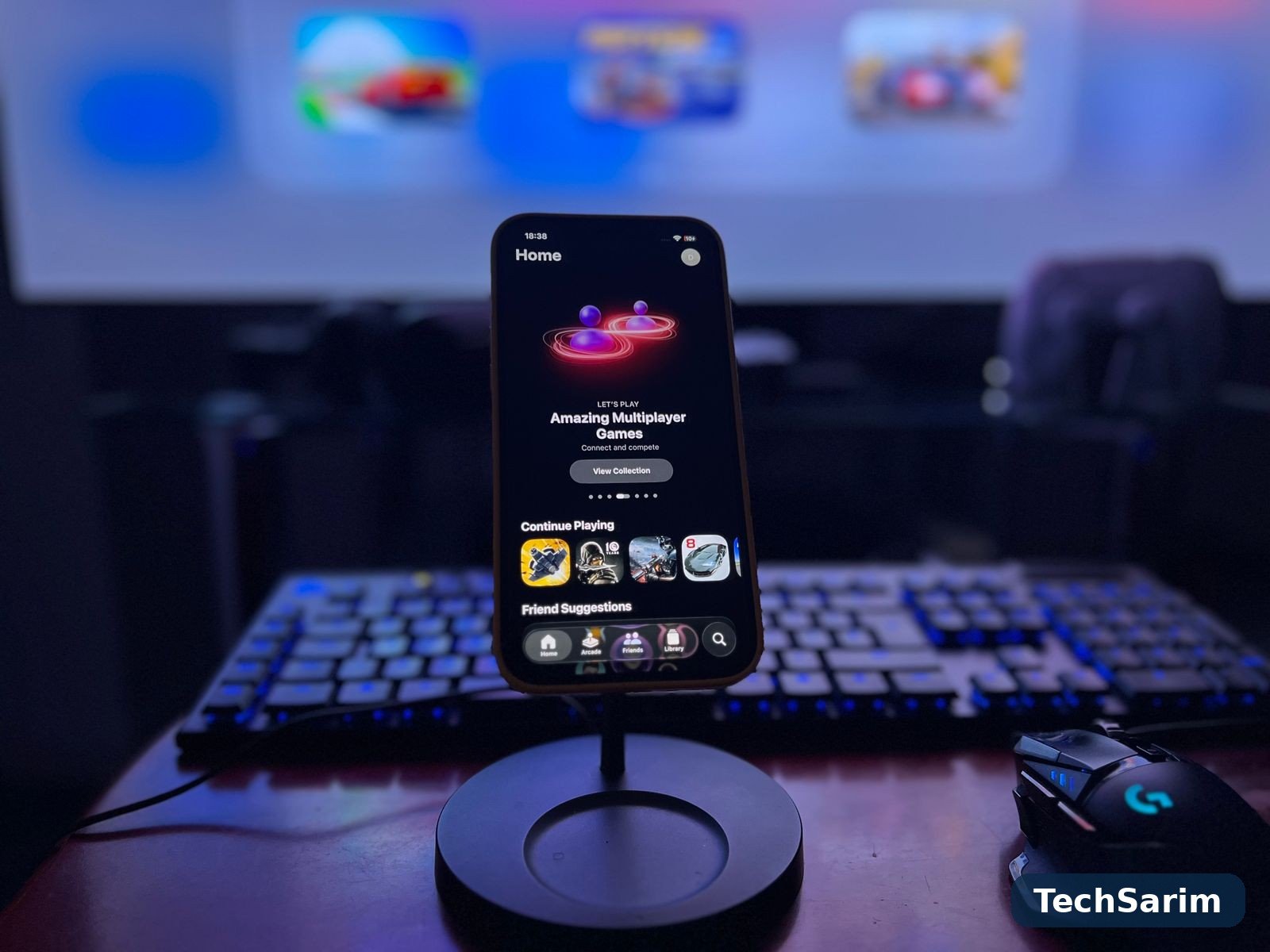

A phone that scores brilliantly in a three-minute benchmark and then wheezes through minute twenty of a ranked match is not a gaming phone. It is a benchmark phone. The difference matters more in 2026 than it ever has, because mobile games have grown into genuinely demanding software — open-world titles that would have been console games a decade ago, competitive shooters where a dropped frame is a lost duel — while phones have stayed exactly the same thickness. Everything in this guide flows from that tension.
This roundup, part of our Smartphones & Mobile Technology coverage, ranks gaming phones the way gamers actually experience them: not by peak numbers, but by what happens across a long session. We will explain the five things that actually decide gaming performance, in plain English, then walk through the picks by class — dedicated gaming phones, flagship all-rounders, mid-range value picks, and the small-phone and cloud-gaming corners — before finishing with the settings and accessories that make a bigger difference than the spec sheet suggests. Prices are given as typical ranges, because deals and regions move them; behaviour is what lasts.
What actually decides gaming performance
Five things, in roughly this order. Understand them and you can read any spec sheet like a reviewer.
1. Sustained performance, not peak performance. A phone’s processor (its “chip” or SoC) can sprint or it can pace itself. In a benchmark that lasts a few minutes, every flagship chip sprints and posts spectacular numbers. In a game that lasts forty minutes, the chip heats up, and every phone responds the same way: it slows down to protect itself, a behaviour called thermal throttling. The honest question is never “how fast is this phone?” but “how fast is this phone after half an hour?” Phones designed for gaming keep a much larger share of their peak speed over time; ordinary flagships typically give some of it back. Same chip, different endurance — this is the single most underreported difference in phone reviews.
2. Cooling. Sustained performance is really a cooling problem wearing a performance costume. The baseline technology in most phones is a vapour chamber: a thin, sealed plate containing a trace of liquid that evaporates over the hot chip, condenses at the cooler edges, and cycles — spreading heat across the phone’s frame instead of letting it pool in one spot. Bigger chambers, graphite layers and metal mid-frames all help. Dedicated gaming phones go further, with larger chambers, more internal space dedicated to heat spreading, and in some cases a small internal fan. None of this is glamorous, and all of it is the difference between a phone that is fast at minute forty and one that is merely warm.
3. The display — refresh rate and touch sampling. Refresh rate is how many times per second the screen redraws, measured in hertz (Hz): 120Hz looks and feels dramatically smoother than 60Hz when a game supports it. Touch sampling rate is the quieter twin: how often per second the screen checks where your finger is. High touch sampling — several hundred hertz on gaming-focused phones — means your aim and swipes register with less delay. For competitive games, touch response is arguably the more important of the two, and it is the spec budget spec sheets most often hide. Brightness matters too, for anyone who plays outdoors or near windows.
4. Battery and charging. Gaming is the fastest legal way to drain a phone. A demanding title at high settings can consume a fifth or more of a typical battery in an hour, which turns battery capacity from a convenience into a gaming spec. Just as important is what happens when you plug in mid-session: fast charging that refills quickly, and — on some gaming phones — a “bypass” or direct-power mode that runs the phone from the charger without cycling the battery, reducing heat and battery wear during long plugged-in sessions. Check the charging speed of the exact model you are buying on a database like GSMArena, because charging specs vary by region under the same model name more often than you’d expect.
5. The gaming extras: triggers and software. Shoulder triggers — physical or touch-sensitive buttons on the phone’s top edge when held sideways — give your index fingers real jobs (aim, fire, jump) and free your thumbs for movement and camera. They sound like a gimmick until a week of shooters rewires your hands. Gaming software matters nearly as much: a good game mode blocks notifications, locks brightness, records your gameplay, lets you cap frame rates per game, and shows your current frame rate and temperature. The best implementations are a control panel; the worst are ad delivery systems for the manufacturer’s app store.

The gaming picks at a glance
| Class | Example models (typical) | Why gamers pick it | Typical price band | Watch out for |
|---|---|---|---|---|
| Dedicated gaming phone | ASUS ROG Phone class, REDMAGIC class | Biggest cooling, shoulder triggers, gaming software, huge batteries | Flagship money, roughly $900–$1,200 | Cameras and polish a step behind all-rounders; gamer styling |
| Flagship all-rounder | Galaxy Ultra class, iPhone Pro class, Pixel Pro class | Top chips, best screens and cameras, games brilliantly | Roughly $1,000–$1,300+ | Throttles sooner in very long sessions; no triggers |
| Mid-range gaming value | Redmi performance class, POCO performance class | Near-flagship chips at half the price | Roughly $250–$450 | Software polish, update windows, camera quality |
| Small phone | Compact flagship class | One-handed comfort, top chip in a small body | Roughly $650–$900 | Small battery, smaller cooling surface |
| Cloud gaming on any phone | Your current phone + a controller | Console/PC games streamed, hardware barely matters | Subscription money, not phone money | Needs fast, stable Wi-Fi; latency varies |
Dedicated gaming phones: built for the session
The dedicated gaming phone — the class defined by ASUS’s ROG Phone line and Nubia’s REDMAGIC line — is what happens when a manufacturer treats gaming as the product rather than a feature. Every design decision bows to the session: the largest vapour chambers (and on some REDMAGIC models, an actual spinning fan you can hear if you listen closely), batteries at the generous end of the industry, shoulder triggers, a second USB port on the side so the charging cable doesn’t dig into your palm in landscape, and software built around per-game tuning. Held sideways for an hour, these phones stay composed in a way ordinary flagships simply don’t — sustaining frame rates in demanding titles that make thinner phones visibly stumble.
The trade-offs are just as consistent, and honesty requires listing them. The cameras are typically a clear step below the all-rounder flagships: fine, not remarkable, with less processing polish. The design language is unapologetically gamer — angular, lit, branded — which you’ll love or quietly tolerate. Software updates tend to be shorter than the best all-rounders offer, and the phones are heavy and thick by flagship standards, because cooling and battery are physical things that take physical space. Availability can also be patchier outside major markets.
Buy one if gaming is genuinely the main thing your phone does — competitive ranked play, long emulator sessions, marathon open-world weekends. For that buyer, nothing else is close. For everyone else, the next class is the smarter money.

Flagship all-rounders: the sensible way to game brilliantly
The big all-rounder flagships — Samsung’s Galaxy Ultra class, Apple’s iPhone Pro class, Google’s Pixel Pro class — carry the same top-tier chips as the gaming phones (and in the iPhone’s case, a chip nothing else can buy), the best displays in the industry, and cameras in another league entirely. For the overwhelming majority of games and gamers, they are superb: the most popular competitive titles run at high frame rates, the screens are bright and colour-accurate, and you give up nothing in daily life — waterproofing, wireless charging, long update support, a camera you’d trust at a wedding.
The honest limitation is the one from the first section: thin, sealed, elegant phones have less room to move heat. In shorter sessions — twenty, thirty minutes — you’ll never meet the limit. In very long sessions with the most demanding games at maximum settings, expect these phones to trim performance sooner than a dedicated gaming phone would, and to feel warmer doing it. Some models in this class have improved their vapour chambers significantly in recent generations, narrowing the gap; it has not closed entirely.
The other platform question is real but simple: the game libraries and controller support are excellent on both sides, and the Android vs iPhone differences that matter for gaming are mostly about price spread and specific titles rather than capability. If you want one device that does everything at the highest level and games as a first-class citizen rather than the whole personality, this is your class.
Mid-range gaming value: most of the frames, half the money
The worst-kept secret in mobile gaming is how little you have to spend to play well. The performance lines from Xiaomi’s ecosystem — the Redmi performance models and the POCO performance class above all — routinely put chips that are one step below flagship (or last year’s flagship silicon) into phones costing a fraction of flagship money, paired with high-refresh displays and big batteries. The result is a phone that runs the popular competitive titles at high frame rates and handles even demanding games at sensible settings, for roughly the price of a flagship’s repair bill.
Our guide to the best Android phones under $300 covers the floor of this class in detail, and its central warning applies here with force: verify the exact model. Performance lines are crowded with near-identical names, regional variants swap chips and charging speeds, and the difference between the right model and the almost-right one is the whole purchase. The other compromises are the familiar mid-range set: cameras that are fine rather than fine-art, software with more clutter to clean up on day one, and update promises measured in fewer years. Our broader roundup of the best budget smartphones of 2026 applies the same discipline — check the update pledge, check the exact variant, and the value is real.
For a student, a second phone, or anyone whose gaming is serious but whose budget is honest, this class is the sweet spot of the entire article.
Small phones and cloud gaming: the two side doors
Small phones. Compact flagships exist in most generations — a smaller sibling in the Galaxy and iPhone lines, occasionally a compact from ASUS or Google — and they game better than their size suggests, because they carry flagship chips. The constraints are physics: a smaller body has less surface to shed heat and a smaller battery to spend, so long sessions at maximum settings are where they compromise first. For shorter, frequent sessions — commutes, lunch breaks, a few matches at a time — many gamers honestly prefer them. Just go in knowing the marathon is not their event.
Cloud gaming. The side door that skips the hardware race entirely. With cloud gaming, the game runs on a server and your phone is a screen with controls: services in this space stream console- and PC-class games to phones of almost any age or price, which means a five-year-old handset can play titles no phone chip could run locally. The costs are a subscription, a controller you’ll actually want to buy, and — the real gatekeeper — your connection. Cloud gaming wants fast, stable Wi-Fi (or strong 5G) and punishes congested networks with input lag, the delay between your thumb and the on-screen result. On good home Wi-Fi it’s remarkable; on a train, it’s a slideshow. Treat it as a complement to a decent phone, not a reason to buy a bad one.
The settings that matter more than the spec sheet
Whatever phone you buy, ten minutes in the settings will do more for your gaming than the next model up would. The habits that matter:
- Cap the frame rate deliberately. If a game offers 120fps but your phone can’t hold it, a locked 60fps feels far smoother than a bouncing 90-to-120. Consistency beats peaks — in gameplay, not just benchmarks.
- Choose graphics settings like an adult. The settings that cost the most performance — shadows, anti-aliasing, resolution scaling — are usually the ones you notice least on a six-inch screen. Dropping shadows one notch buys more frames than any “game booster” app.
- Use the built-in game mode. Block notifications, lock brightness, and turn off adaptive brightness mid-game. Auto-dimming in a dark scene is a feature everywhere except in a firefight.
- Mind the case. Thick cases insulate. For long sessions, a thin case — or none, at home — measurably helps heat escape. Yes, really.
- Turn off the background. Downloads, cloud photo backups and updates running during a session steal both network and processor. Schedule them for overnight.
- Lower the screen brightness a touch. The display is one of the biggest heat and battery sources in the phone. One notch down is invisible in play and meaningful over an hour.

Accessories: worth it, and not worth it
Worth it:
- A clip-on fan cooler. The least glamorous, most effective accessory in mobile gaming. A small fan that clamps over the back can hold frame rates noticeably longer in demanding games, for the price of a pizza. It looks ridiculous. It works.
- A telescopic controller. A clamp-on controller that turns the phone into a handheld console transforms cloud gaming and emulators, and improves any game with real controller support. The good ones charge over USB-C and add almost no lag.
- Touch triggers (stick-on or case-integrated). If your phone lacks shoulder triggers and shooters are your main games, these cheap add-ons deliver most of the benefit.
- A decent stand and a long cable. For plugged-in sessions, a stand plus side-friendly cable routing is comfort you feel for hours.
Mostly gimmicks:
- “Gaming” phone grips without fans or triggers — shaped plastic; your hands were already the right shape.
- Expensive “gaming” screen protectors and thumb sleeves marketed with pro-player branding — thumb sleeves genuinely help some players with sweaty hands, but they cost pennies; pay pennies, not branding.
- RGB anything. Lights don’t cool. Fans cool.
Frequently asked questions
How much do I actually need to spend on a gaming phone in 2026?
Less than the marketing says. The mid-range performance class (roughly $250–$450) plays the popular competitive titles at high frame rates and demanding games at sensible settings. Dedicated gaming money (roughly $900+) buys endurance — sustained frames over very long sessions, triggers, cooling headroom — not access. Spend for the session length you actually play.
Is a dedicated gaming phone worth it over a flagship?
If gaming is your phone’s main job and your sessions run long, yes — the cooling, triggers and battery are real, daily advantages. If gaming is one of five things your phone does, the flagship all-rounder is the better device overall and games nearly as well in ordinary sessions.
Does 120Hz actually matter for gaming?
When the game supports it and the phone can hold it, yes — motion is visibly smoother and aiming feels more connected. A stable lower rate beats an unstable higher one, so treat 120Hz as headroom, not a guarantee. Touch sampling rate matters just as much and gets a tenth of the attention.
Will gaming damage my phone’s battery?
Heat and deep discharge cycles age batteries faster, and gaming is hot work — so yes, heavy daily gaming ages a battery somewhat quicker than light use. Mitigate it with the habits above: avoid gaming while fast-charging when you can (or use bypass charging if your phone offers it), keep the phone cool, and don’t bake it in a thick case at maximum brightness for hours.
Can a budget phone handle games like Genshin Impact or Warzone Mobile?
Playable, yes — at reduced graphics settings, and the better performance-oriented budget models do it respectably. Beautiful, no. These titles at high settings are exactly the workload that separates the classes in this guide. Set expectations at “smooth at medium” and budget phones impress; set them at “maxed out” and only the flagship classes deliver.
Should I buy last year’s gaming phone instead?
Often the smartest move in this category. Gaming phones drop in price quickly, the cooling hardware barely changes between generations, and a discounted last-generation ROG or REDMAGIC class device typically out-games a brand-new mid-ranger at similar money. Check the remaining update window, as always — a phone you keep three years needs support for three years.
The bottom line
The best gaming phone is the one that’s still fast when you’re tired. Dedicated gaming phones — the ROG Phone and REDMAGIC class — win for the gamer whose sessions are long and serious: cooling, triggers and battery that treat the session as the product. Flagship all-rounders — Galaxy Ultra, iPhone Pro class — win for everyone who games hard but lives a whole life on the same device, with only very long, maxed-out sessions revealing the compromise. The mid-range performance class wins on value so decisively that it’s the default recommendation for most readers: check the exact model, set the settings like an adult, and pocket the difference. And whatever you buy, remember the cheapest performance upgrade in this entire article is a clip-on fan and a locked frame rate. We keep this guide and the rest of our Smartphones coverage updated as new models land — in this class, they land fast, and the sustained performers are always worth waiting for.